
Download MySafeway APK – Safeway Insurance Policy Access, Vehicle Details, Payment History
Overview
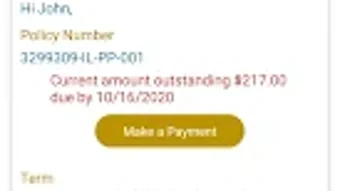
MySafeway is a dedicated Android application developed by Safeway Information Systems, designed to provide Safeway Insurance customers with immediate access to essential policy information. The software operates within the Business & Productivity category, specifically targeting the Finance subcategory. Its primary purpose is to streamline the management of insurance policies by allowing users to view policy status, payment history, and vehicle details directly from their mobile devices.
This digital tool eliminates the need for physical documentation, enabling users to verify coverage, track payments, and access digital ID cards on the go. The application is intended for individuals who rely on Safeway Insurance for vehicle coverage and seek a convenient, centralized way to monitor their policy lifecycle. While the developer is identified as Safeway Information Systems, no additional details about the company’s background were provided.
The app supports real-world use cases such as verifying active coverage before driving, reviewing past payments for tax or budgeting purposes, and retrieving digital insurance cards during roadside incidents. It is available at no cost through the Google Play Store, making it accessible to all policyholders.
Key Features & Capabilities
- Policy Status Viewing – Users can check whether their insurance policy is active, expired, or pending renewal, ensuring continuous coverage awareness.
- Payment History Access – A detailed record of past transactions allows users to track premium payments, aiding in financial planning and dispute resolution.
- Vehicle Information Management – The app displays vehicle details tied to the policy, including make, model, year, and VIN, simplifying vehicle-specific queries.
- Digital ID Card Access – Users can view and store digital versions of their insurance ID cards, reducing reliance on paper documents.
- On-the-Go Policy Management – The ability to access key policy data anytime, anywhere enhances user control and responsiveness to coverage needs.
These features collectively support efficient policy monitoring, especially in scenarios such as traffic stops, insurance claims, or vehicle registration. The intuitive design ensures that users can locate critical information without navigating complex menus. The app’s functionality is tailored to meet the daily needs of insurance customers who value transparency and accessibility in their financial services.
User Interface, Workflow & Performance
MySafeway presents a clean, straightforward user interface optimized for Android devices. Navigation is structured around core functions, with policy details, payment history, and vehicle information presented in clearly labeled sections. The workflow is linear and user-centric, guiding users through a minimal number of steps to access desired data.
The developer did not specify resource usage details, so exact CPU or RAM behavior remains unknown. However, based on general software behavior patterns, the app likely maintains low system impact given its focused functionality and modest size of 25.6 MB. Stability is expected to be consistent, as the app is designed for routine information retrieval rather than complex processing.
No reported performance issues were mentioned in the release notes. The user experience appears optimized for mobile use, with responsive touch elements and minimal loading delays. Users can expect smooth transitions between sections, though actual performance may vary depending on device hardware and network conditions.
The app does not include advanced customization options, which simplifies the interface but may limit flexibility for power users.
Compatibility & System Requirements
MySafeway is designed for Android devices and is compatible with the latest versions of the operating system. The app is available as a free download on the Google Play Store, with a release version of 1.0.1. The installation size is 25.6 MB, indicating a lightweight footprint.
The developer did not provide additional system requirements, so exact hardware specifications such as minimum RAM, processor type, or storage space were not listed. Compatibility information is limited to the Android platform, with no mention of support for iOS, Windows, or other operating systems. Users should ensure their device meets standard Android requirements for app installation.
The app’s availability on the Google Play Store suggests it adheres to current security and compatibility standards. For users seeking to install the APK directly, caution is advised due to potential risks associated with sideloading third-party applications.
Pros and Cons
Pros
- Free to download and use, reducing financial barriers for policyholders.
- Provides instant access to critical insurance data including policy status and payment history.
- Offers digital ID card access, minimizing the need for physical documents.
- Lightweight app with a small installation size of 25.6 MB.
- Designed for mobile convenience, enabling on-the-go policy management.
Cons
- No information on support for iOS or other operating systems.
- Exact system requirements and hardware compatibility were not specified.
- Functionality is limited to viewing data; no tools for policy changes or claims submission were mentioned.
- Limited to Safeway Insurance customers, restricting broader accessibility.
- Dependence on internet connectivity for real-time data access.
FAQ Section
Is MySafeway available for iOS devices?
Based on the provided information, MySafeway is currently designed for Android devices. There is no indication of iOS compatibility.
Is the app safe to download?
MySafeway is available on the Google Play Store, which implements security checks for apps. However, users should always verify the developer name—Safeway Information Systems—before installation to avoid counterfeit versions.
Can I update the app manually?
Updates are typically delivered through the Google Play Store. Manual updates via APK are possible but not recommended unless necessary, as they may introduce security or compatibility risks.
Does the app require a subscription or payment?
No, the app is free to download and use. There are no subscription fees or in-app purchases mentioned in the provided details.
Can I use MySafeway offline?
While the app may cache some data, real-time access to policy status, payment history, and vehicle details requires an active internet connection.
Final Thoughts + CTA
MySafeway delivers a focused and practical solution for Safeway Insurance customers seeking quick access to their policy information. With its clean interface, essential features, and free availability, it effectively supports daily insurance management needs. The app excels in providing transparency and convenience, particularly for users who prefer digital documentation and real-time updates.
While its functionality is limited to viewing data and lacks advanced tools like claims filing or policy adjustments, it serves its intended purpose well. The absence of detailed system requirements and cross-platform support are notable limitations, but these do not detract from its core value for Android users. For Safeway Insurance policyholders, MySafeway is a reliable, lightweight tool that enhances accessibility and control over insurance coverage.
Download MySafeway now to manage your policy details with ease.







